Posts

Showing posts with the label display ILI9341 parallel

RP2040/CircuitPython 8.1.0-beta.1 - Play animated GIF stored in SD Card
Image
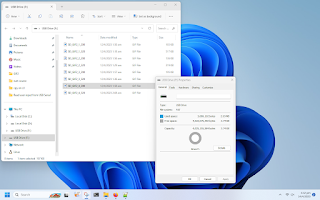
Previous post my exercise of playing animated GIF (stored in CircuitPython device) on 8 bit parallel bus ILI9341 . This exercise load the animated GIFs from SD Card. updated@2023-04-15: Exercise code for Wio Terminal added, scroll down to find it. Prepare SD Card A 4G SD Card is formatted as FAT to store GIFs. Connection It's a SD Card on my  2.8 inch 320x240 ili9341 TFT with 8/16BIT parallel interface . To interface, extra pins for SD Card are needed.      Connection between RP2040 and      2.8" 320x240 ili9341 TFT in 8-bit parallel interface: RP2040 GPIO      |           |      V V +------------+ 2 | CLK T_CS | | F_CS PEN | 3 | MOSI MISO |  4 | NC GND | GND      GND | GND VDD | 3V3      3V3 | VDD BL | 3V3 5 | SDCS DB15 | 17      16 | DB14 DB13 | 15 ...

RP2040/CircuitPython 8.1.0 Beta 1, play animated GIF on 8 bit parallel bus ILI9341.

Image
My previous post show setup libraries, connection and exercises code on RP2040/CircuitPython to display on ILI9341 (8bit parallel bus) display . The old post show exercise  playing animated GIF in CircuitPython 8.1.0 Beta 0, run on ESP32-S3, display on ST7789 SPI TFT . Here is exercise run on WeAct RP2040 (16MB Flash)/CircuitPython 8.1.0 Beta 1, play animated GIFs on 2.8 inch 320x240  8 bit parallel ILI9341 TFT. gifio.OnDiskGif() is used to create an OnDiskGif object to display animated GIF, it's supported since CircuitPython 8.1.0 Beta 0. So, make sure it's flashed with CircuitPython 8.1.0 Beta 0 or higher. cpyPico_ParallelBus_ili9341_aniGIF.py """ Run on WeAct RP2040 (16MB Flash)/CircuitPython 8.1.0-beta.1 display on 8 bit ILI9341, play animated GIFs using gifio.OnDiskGif() """ import os, sys import time import board import displayio import adafruit_ili9341 import gifio displayio.release_displays() ""...

ILI9341 (8bit parallel bus) display on RP2040/CircuitPython

Image
This video show  WeAct RP2040 (16M Flash) running CircuitPython 8.0.5, to display on  2.8 inch 320x240 ili9341 TFT with 8/16BIT parallel interface . It should be work on Raspberry Pi Pico also. This display is set 16-bit parallel interface by default. Read here to set it in 8 bit interface.      Connection between RP2040 and      2.8" 320x240 ili9341 TFT in 8-bit parallel interface: RP2040 GPIO      |           |      V V +------------+ | CLK T_CS | | F_CS PEN | | MOSI MISO | | NC GND | GND      GND | GND VDD | 3V3      3V3 | VDD BL | 3V3 | SDCS DB15 | 17      16 | DB14 DB13 | 15      14 | DB12 DB11 | 13      12      | DB10 DB9 | 11      10 | DB8 DB7 | | DB6 DB5 | | DB4 DB3 | ...

Drive ILI9341 (8-bit parallel) using ESP32-S3 (ESP32-S3-DevKitC-1) in Arduino Framework

Image
This post show how to driver 2.8" 320x240 ILI9341 TFT with 8-bit parallel interface using Espressif ESP32-S3-DevKitC-1 , in Arduino framework, using TFT_eSPI library. Connection:  For my  2.8 inch 320x240 ili9341 TFT with 8/16BIT parallel interface , it's set in 16-bit data bus mode by default. To make it in 8-bit mode: Solder R4 with 0Ω resistor or short circuit directly, and disconnect R5. In 8-bit data bus mode, use DB8~DB15 data pin. Connection between Espressif ESP32-S3-DevKitC-1 and 2.8" 320x240 ili9341 TFT in 8-bit parallel interface: ESP32-S3 GPIO |      | V           V +------------+ | CLK T_CS | | F_CS PEN | | MOSI MISO | | NC GND | GND GND | GND VDD | 3V3 3V3 | VDD BL | 3V3 | SDCS DB15 | 3 14 | DB14 DB13 | 8 13 | DB12 DB11 | 18 12 | DB10 DB9 | 17 11 | DB8 DB7 | | DB6 DB5 | | DB4 DB3 | | DB2 DB1 | | DB0 RST  ...

2.8 inch 320x240 ili9341 TFT with 8/16BIT parallel interface

Image
2.8" 320x240 ili9341 TFT with 8/16BIT parallel interface: - 2.8-inch color screen, support 16BIT RGB 65K color display - 240x320 resolution for clear display - Support 8-bit/16-bit parallel bus selectable using resistor (the default is 16-bit) - Support for touch function - Support SD card function expansion product page ~ LCDWiKi:2.8inch 16BIT Module ILI9341 SKU:MRB2801 It's set 16 bit by default. To make it in 8-bit mode: Solder R4 with 0Ω resistor or short circuit directly, and disconnect R5. In 8-bit data bus mode, use DB8~DB15 data pin. Exercise: ~  Drive ILI9341 (8-bit parallel) using ESP32-S3 (ESP32-S3-DevKitC-1) in Arduino Framework ~  ILI9341 (8bit parallel bus) display on RP2040/CircuitPython ~  RP2040/CircuitPython 8.1.0 Beta 1, play animated GIF on 8 bit parallel bus ILI9341 .