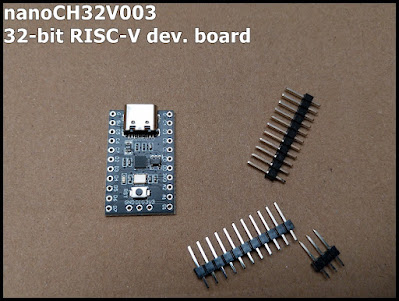
With openwch/arduino_core_ch32 , now we can develop CH32 RISC-V MCU in Arduino IDE 2.0+/Windows 11. This video show steps to install arduino_core_ch32 in Arduino IDE 2 (fail to install version 1.0.4, then success in version 1.0.3). Then program Muse Lab nanoCH32V003 (32-bit RISC-V development board) , and upload using Muse Lab WCH-LinkE (WCH-Link Emulation Debugger Module) . Install arduino_core_ch32 in Arduino IDE 2 Add the following link in the "Additional Boards Managers URLs" field: https://github.com/openwch/board_manager_files/raw/main/package_ch32v_index.json Then search and install CH32 MCU EVT Boards by WCH. Currently, 1.0.4 is the most updated version, but fail: Downloading packages WCH:riscv-none-embed-gcc@8.2.0 WCH:openocd@1.0.0 WCH:beforeinstall@1.0.0 WCH:ch32v@1.0.4 Installing WCH:riscv-none-embed-gcc@8.2.0 Configuring tool. WCH:riscv-none-embed-gcc@8.2.0 installed Installing WCH:openocd@1.0.0 Configuring tool. ...